7 practical email automation scenarios using triggered emails and omnichannel marketing logic
Why is more traffic not always the answer? Because the fastest conversion opportunity may already be in your database. These visitors have already encountered your brand, subscribed, registered, browsed a product, or started a purchase. Instead of paying to acquire another audience immediately, it is often more efficient to continue the conversation with people who already know you.
The problem is that a standard email campaign is usually only one touch. A large share of recipients read or notice the message but do not take the target action. Others postpone the decision, the email sinks lower in the inbox, and they never return to the offer. A send without a planned next step leaves potential conversions unfinished.
That is why an email should be treated as a scenario, not just a message: send → receive a behavioral signal → trigger the next action. Triggered emails and email automation make this logic repeatable. The system can react differently when a contact does not open, opens without clicking, clicks without converting, or completes the target action.
This is also the foundation of omnichannel email marketing and broader omnichannel scenarios: communications are organized around customer behavior rather than isolated campaign dates. The goal is to make each next touch relevant to what the person did — or did not do — before it.
In this article, we’ll show 7 ready-madeemail scenarios based on the hands-on experience of Selzy, an email marketing platform for small businesses. The focus is on simple, repeatable email automation principles that help turn website activity into timely follow-ups, stronger engagement, and more conversions.
Tips for building effective email automation
Pause before the next touch. For most non-urgent follow-ups, wait 24–48 hours. This gives people time to consider the offer and prevents the automation from feeling too aggressive.
Change the angle. A follow-up should add something new rather than repeat the same message. Try a different subject line, address a common objection, add social proof, show another use case, or provide a different type of value.
Limit the sequence. Two or three follow-up touches are usually enough for a single conversion goal. Sending more can increase fatigue, unsubscribes, and the risk of losing trust.
Let behavior determine the next step. If someone does not open the first email, try a different subject line or message after the delay. If they open but do not click, clarify the value or address possible objections. If they click, treat that as a stronger intent signal and move them toward the next conversion step.
Stop when the goal is reached. Once a visitor registers, buys, books a call, or completes another target action, remove them from the conversion sequence. Good email automation should react not only to inactivity, but also to success.
“Separate users by their journey. Someone who abandoned checkout is not the same as someone who only browsed. Someone who adds to cart is ‘hot’ — they’re close to buying, so you should follow up fast. Someone who just looked around needs more time,” says Andrew Dyuzhov, Marketing Director at Selzy.
This is the core principle behind effective triggered emails: the timing and content of the next message should reflect what the person has already done, rather than forcing every contact through the same fixed sequence.
7 ready-made email automation scenarios
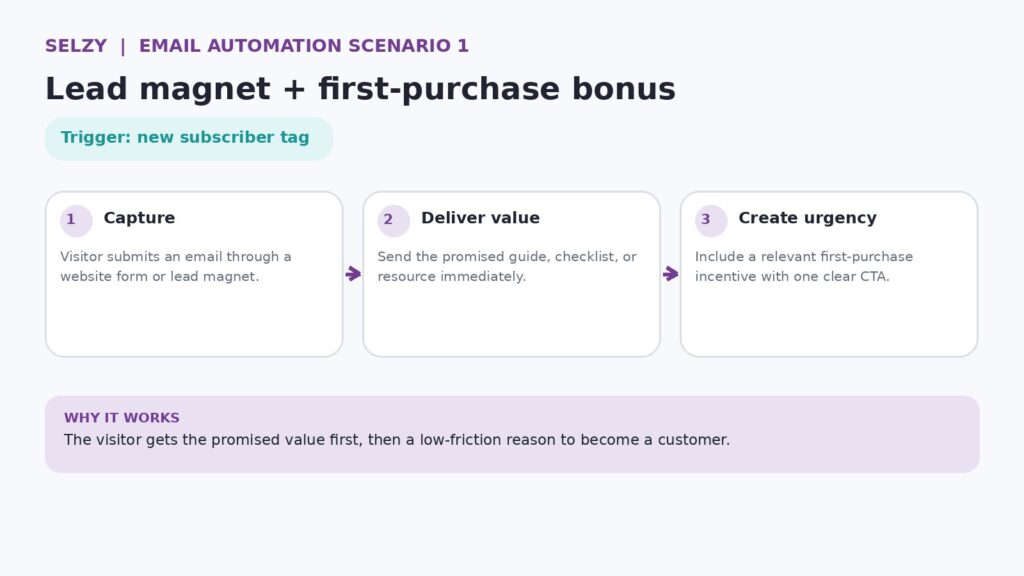
1. Lead magnet + first-purchase bonus
Goal: Turn an anonymous website visitor into a known lead, then create a clear path to the first purchase.
Trigger: New subscriber tag, form submission, or API event.
How to build it: Send the lead magnet immediately. In the same email — or in a short follow-up — add a first-purchase incentive that is directly connected to the resource they requested.
Why it works: A visitor who asks for a guide has already expressed interest. The first triggered email should fulfill that promise before asking for anything else. Once the value is delivered, the conversion ask feels like the next logical step rather than a bait-and-switch.
Example email:
Subject: Your guide is ready — plus a welcome bonus
CTA: Download the guide
Secondary line: Ready to put it into practice? Use your new-subscriber offer before [date].
What to measure: Track lead-magnet delivery rate, CTA clicks, first-purchase conversion, and unsubscribe rate.
2. First-time registration onboarding
Goal: Move a new signup from account creation to the first meaningful product action.
Trigger: API registration event.
How to build it: Pass the new user’s email into the automation immediately after signup. Send a short email with a 5-minute video, checklist, or three-step quick start.
Why it works: Registration is not activation. The automation should focus on the earliest action that correlates with value: creating a project, importing data, publishing a form, inviting a teammate, or completing setup.
Example email:
Subject: You’re in — here’s the fastest way to start
CTA: Complete your first setup
Body angle: “Do these three things first.”
What to measure: Measure activation rate within 24–72 hours, clicks to the setup action, and time-to-first-value.
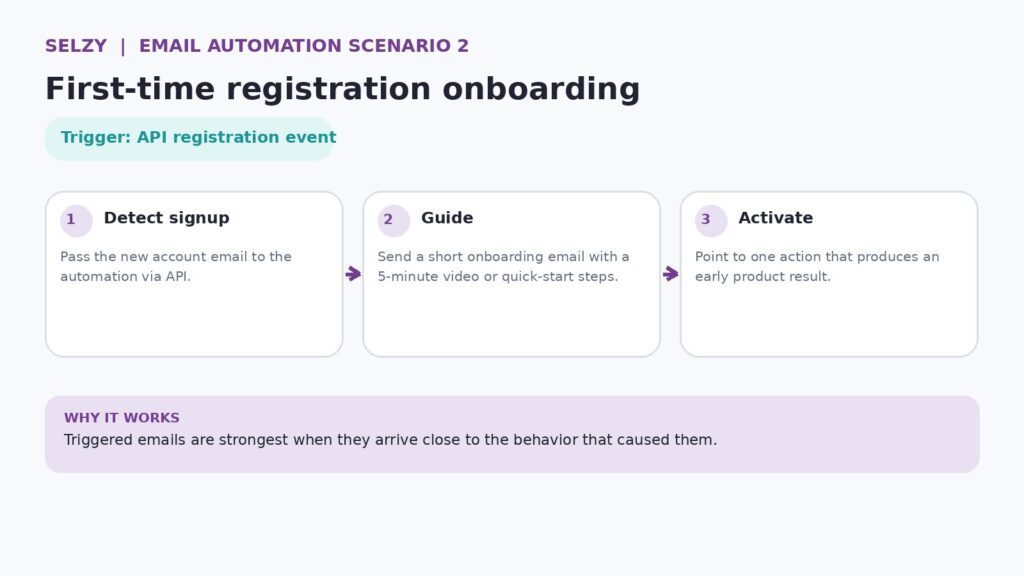
Figure 2. Selzy-style flow for first-time registration onboarding.
3. New feature announcement
Goal: Bring qualified users back to the product and convert feature awareness into usage or purchase.
Trigger: A list or segment of contacts eligible for the feature.
How to build it: Do not send the announcement to everyone by default. Segment for people whose plan, use case, or previous behavior makes the feature relevant. Explain the problem it solves, show the change, and give one CTA.
Why it works: Feature announcements fail when they read like release notes. A conversion-oriented email translates the feature into a user outcome.
Example email:
Subject: A faster way to [job-to-be-done]
CTA: Try the new feature
Body angle: Problem → what changed → what the user can do now.
What to measure: Track feature activation, product visits from the email, upgrade conversion, and downstream usage.
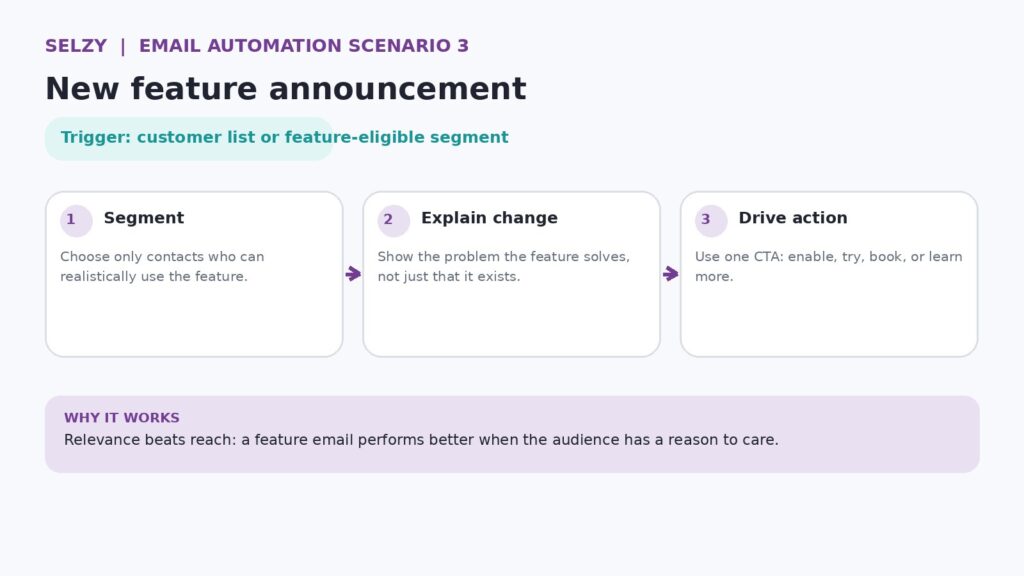
Figure 3. Selzy-style flow for new feature announcement.
4. Activity bonus and upsell
Goal: Reward highly engaged users and introduce the next paid step at the moment of strongest intent.
Trigger: Active-user tag or behavior threshold.
How to build it: Define “active” with a real behavior: number of sessions, completed actions, usage volume, or completion of a welcome sequence. Add the tag automatically, send a reward, then connect it to the premium capability that solves the user’s next problem.
Why it works: An upsell works better when it follows demonstrated value. The user has already proved that the product matters enough to use repeatedly.
Example email:
Subject: You’ve been busy — here’s a bonus
CTA: Unlock the extra access
Body angle: Recognize activity → explain the reward → show what the next tier enables.
What to measure: Measure reward redemption, upgrade rate among tagged users, and whether the upgrade remains active after the promotional period.
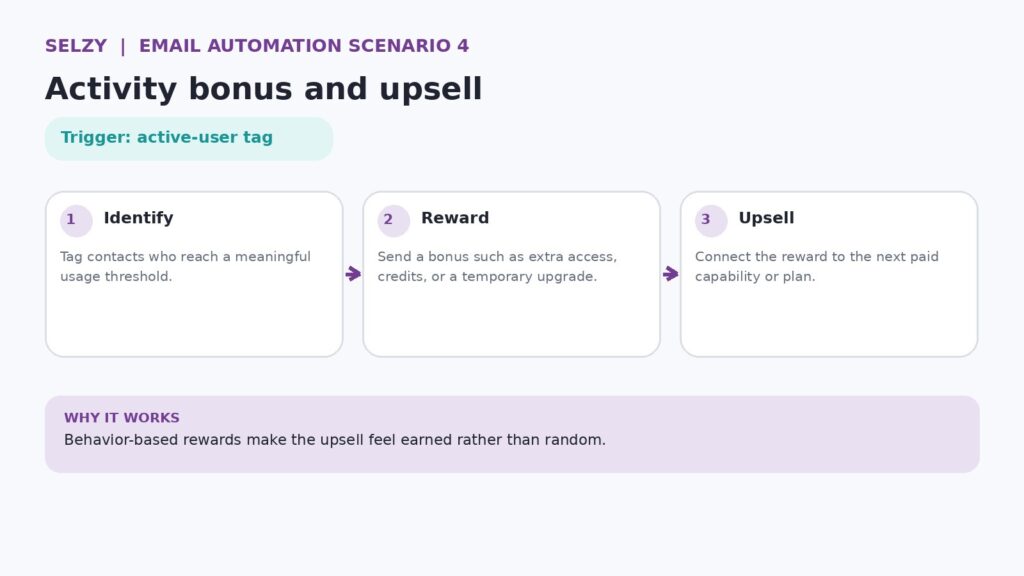
Figure 4. Selzy-style flow for activity bonus and upsell.
5. Weekly tip nurture
Goal: Keep customers engaged between major campaigns and steadily move them toward deeper product usage.
Trigger: Addition to a “current customers” list or recurring segment.
How to build it: Send one useful tip per email. Keep it narrow: one workflow, one shortcut, one mistake to avoid, or one practical example. Connect the tip to a feature or action only when it genuinely supports the lesson.
Why it works: Not every email should sell. A recurring educational touch creates reasons to return, helps customers discover value they missed, and builds a healthier base for future promotional messages.
Example email:
Subject: One small change to improve [result] this week
CTA: Try this in your account
Body angle: Tip → 2–3 steps → expected outcome.
What to measure: Track clicks to the taught feature, product usage after the send, and retention of the segment over time.
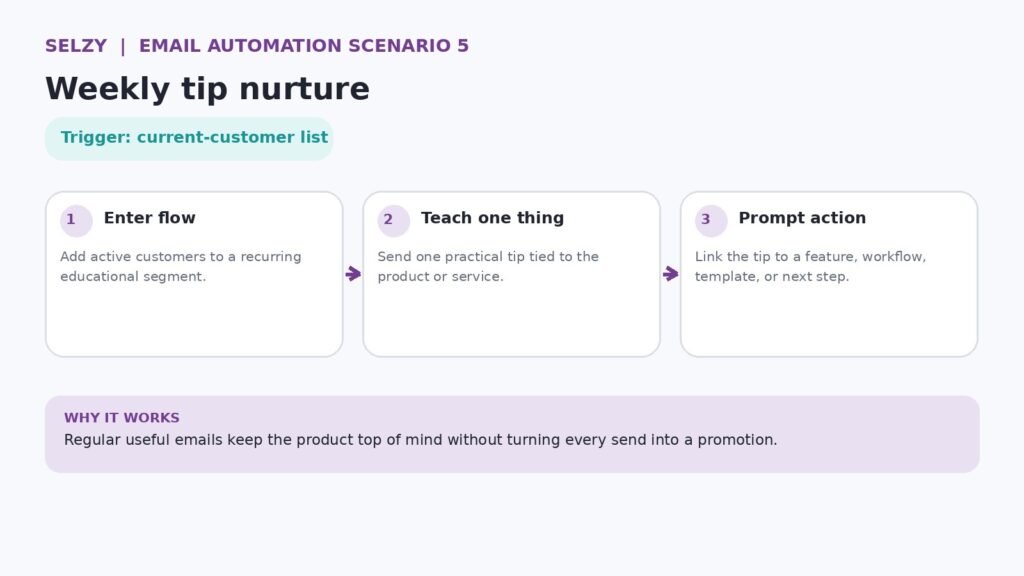
Figure 5. Selzy-style flow for weekly tip nurture.
6. Customer anniversary retention offer
Goal: Use a natural lifecycle milestone to retain customers, encourage renewal, or introduce an upgrade.
Trigger: Signup or subscription anniversary date.
How to build it: Create a date-based segment and trigger the message automatically. Recognize the milestone, remind the customer what they have achieved or used, then make a retention or expansion offer that fits their history.
Why it works: Anniversary emails have a built-in reason to exist. Unlike arbitrary “last chance” promotions, the timing is personal and predictable.
Example email:
Subject: One year together 🎉
CTA: Renew and keep your benefits
Body angle: Milestone → value recap → renewal/upgrade benefit.
What to measure: Track renewal conversion, upgrade rate, churn after the anniversary window, and clicks by customer segment.
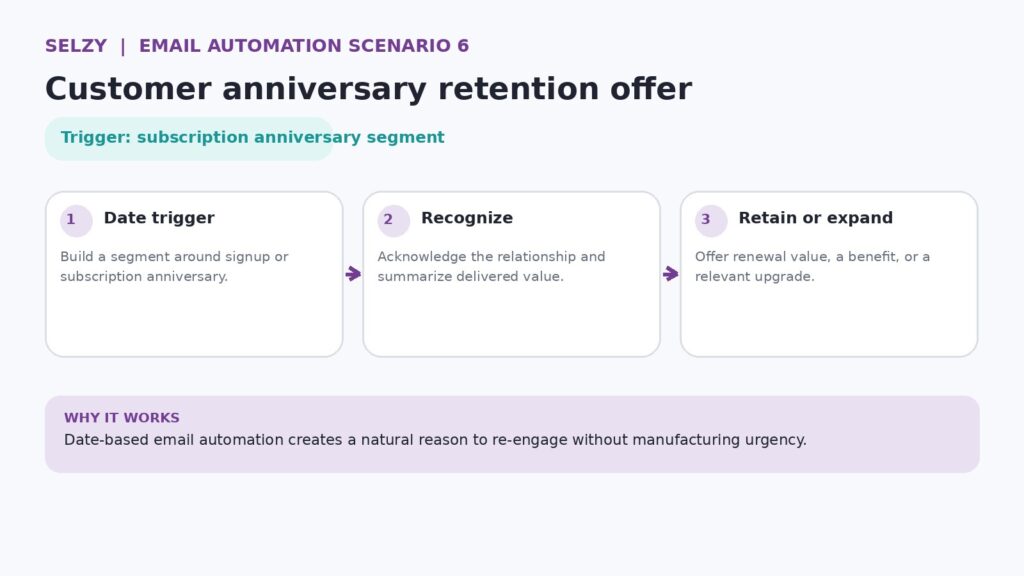
Figure 6. Selzy-style flow for customer anniversary retention offer.
7. Abandoned cart recovery
Goal: Bring high-intent website visitors back to a purchase they already started.
Trigger: API event: item added to cart, payment not completed.
How to build it: Send the cart data and email into the flow. The first message should simply restore context: show the items, price, and a button back to checkout. If there is no purchase, a later email can answer common objections, add social proof, or — when economics allow — use a time-limited incentive.
Why it works: An abandoned cart email is a triggered email tied to explicit purchase intent. The task is not to create desire from zero; it is to remove the friction that interrupted an existing decision.
Example email:
Subject: Still thinking it over? Your cart is saved
CTA: Return to checkout
Follow-up angle: FAQ, delivery/returns, proof, or a carefully justified incentive.
What to measure: Measure recovered revenue, checkout return rate, purchase conversion, and margin after incentives.
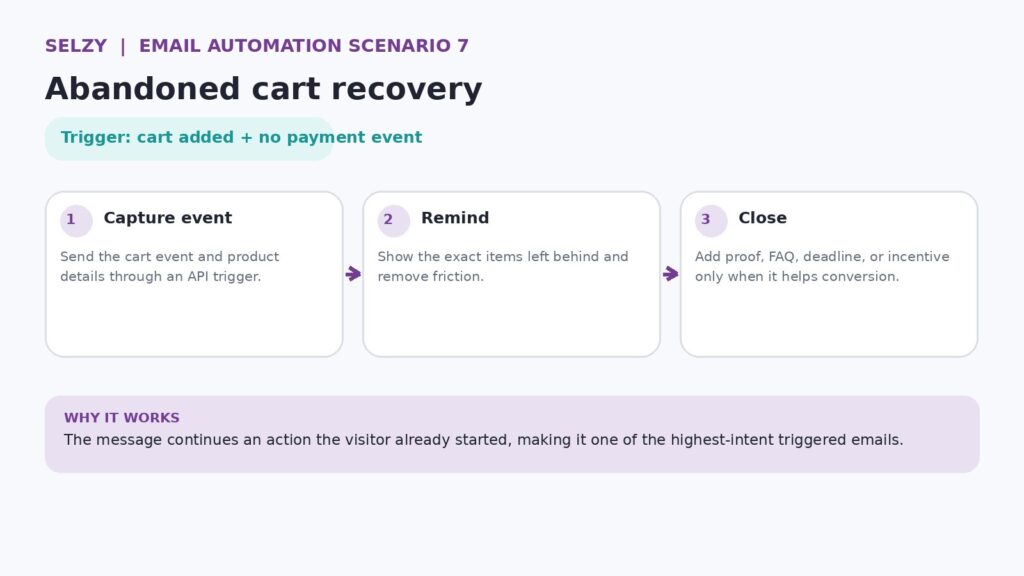
Figure 7. Selzy-style flow for abandoned cart recovery.
How to turn these email flows into omnichannel scenarios
Although the seven examples above use email only, the same logic is the foundation of omnichannel email marketing: one customer state, one next-best action, and consistent rules across channels. The important part is not sending the same message everywhere. It is deciding which channel should handle each job.
- Use email for richer explanations, onboarding, guides, product comparisons, receipts, and offers that need context.
- If another channel is added later, use it as a complementary step — for example, a short reminder after an unopened email — rather than duplicating the full email copy.
- Keep the customer state synchronized. A purchase, activation, or reply should stop irrelevant follow-ups across the entire scenario.
- Build frequency limits at the scenario level so several automated flows do not overwhelm the same person at once.
The same trigger → delay → condition → action structure can be implemented in platforms such as Selzy. Its email marketing automation features support the kinds of automated workflows described here, while the scenario logic itself should still start with the customer signal and desired next action.
Final checklist for email automation
- One business goal per scenario.
- A clear trigger that can be captured reliably.
- One primary CTA per email.
- Delays that match the urgency of the decision.
- Conditions for open, click, conversion, or inactivity where they change the next message.
- No repeated follow-up copy: each message adds a new reason to act.
- A stop condition so converted contacts leave the flow.
- Metrics tied to the final behavior, not only opens.
- Frequency caps across overlapping triggered emails.
- A plan for how the email-only flow could connect to broader omnichannel scenarios later.
The most useful email automation starts with behavior, not a calendar. A visitor subscribes, registers, becomes active, reaches an anniversary, or leaves a cart behind — and the system responds with the next message that makes sense for that state.